Multi-asset trading
Trade forex, metals, energy, indices, stocks, and CFDs—watch opportunities across assets on one platform.
A multi-asset financial platform for forex, stocks, and futures—with powerful price analysis tools, algorithmic trading (automated trading and EAs), and copy trading.
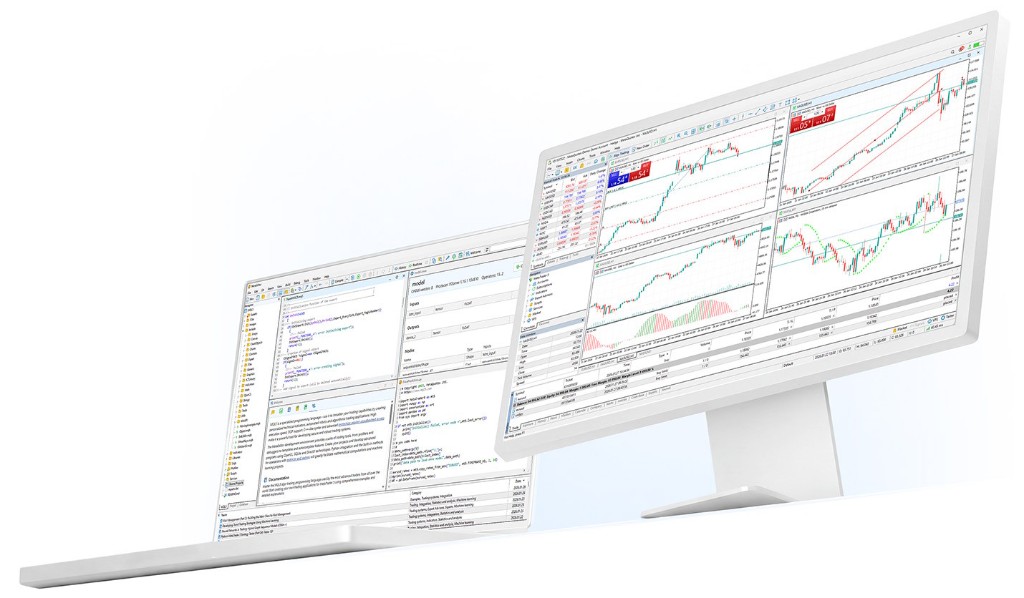
Platform Advantages
MT5 combines multi-market quotes, order execution, chart research, and strategy automation in one terminal—for manual analysis through programmatic trading.
Trade forex, metals, energy, indices, stocks, and CFDs—watch opportunities across assets on one platform.
Multi-timeframe charts, indicators, drawing tools, and market depth help spot trends, ranges, and key levels.
Build or run Expert Advisors in MQL5 for systematic execution, backtesting, and optimization.
Windows, macOS, Web, iOS, and Android cover common trading scenarios for quotes and position management.
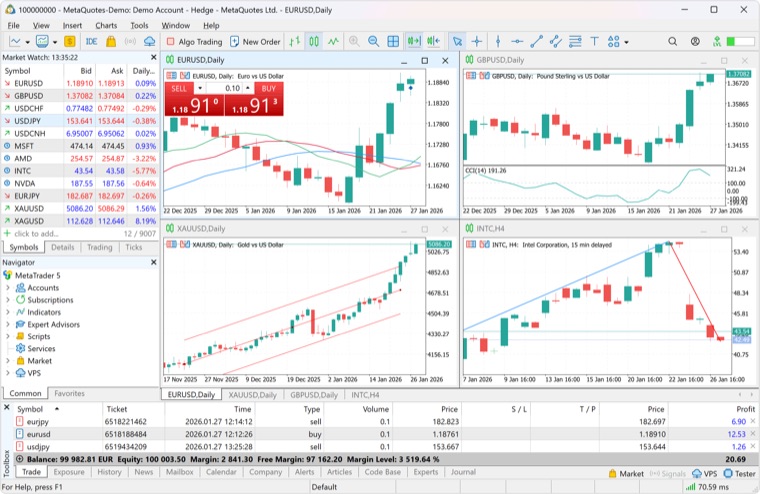
Market, pending, stop-loss, take-profit, and trailing stop orders support entry, exit, and risk plans.
Backtest EAs on historical data—review equity curves, drawdown, win rate, and parameter sensitivity before demo or live.
Combine macro news, economic events, and price action to watch rate decisions, NFP, inflation, and other key releases.
Positions, pending orders, history, balance, margin, and floating P/L in one place for daily review and risk checks.
Hedging Mode
MetaTrader 5 supports hedging: multiple positions per symbol, including opposite and same-direction legs—widely used in forex.
Market Depth
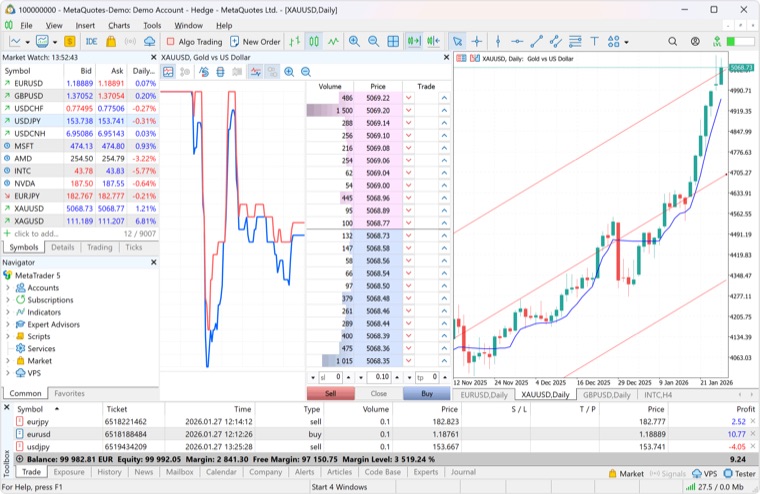
MT5 also offers market depth and exchange-style net (one-way) positions—see volume at each price level and manage accounts like exchange markets.
Analysis Toolkit
MT5 is more than orders: watchlists, multi-timeframe trends, indicators and drawings, plus account history for review.
From minutes to monthly charts—for scalping, intraday, swing, and longer-term confirmation.
MAs, oscillators, volume tools, trend lines, Fibonacci, and channels for custom templates.
Where supported, depth helps read price levels, liquidity, and short-term execution.
Price, time, and event alerts reduce missed plan triggers.
Automated Trading
Rule-based methods can run via EAs and backtest in the Strategy Tester. Automation is not guaranteed profit—rules, risk control, and validation matter.
Code entries, sizing, filters, and risk into executable strategies.
Test across market phases—focus on max drawdown, trade frequency, and stress periods.
EAs need stable connectivity. Check latency, cost, and account security before using a VPS.
Markets
Workflow
Verify regulation, costs, funding, server stability, and available symbols.
Log in with broker server, login, and password on desktop, web, or mobile.
Add symbols, indicator templates, and plan stops, size, and max drawdown.
Practice order types and strategy behavior on demo before going live.
Comparison
Both are widely used. Choose based on broker support, symbols, EA compatibility, and workflow.
Before Download
Get Started
MetaTrader 5 is developed by MetaQuotes. Choose desktop, mobile, or web. We do not host installers—buttons go to official or app store pages. Use your broker’s channel if they provide a custom build or server details. See the full install-to-login workflow
Use MetaQuotes download, App Store, Google Play, or your broker—avoid unknown third-party installers.
After install, log in with your broker’s server, login, and password. Servers differ—if login fails, check all three.
First time: use a demo account to learn the UI, orders, and risk settings before live.
Desktop suits users who need multi-chart layouts, full order panel, depth, Strategy Tester, and MQL5—the main terminal for analysis and EA work.
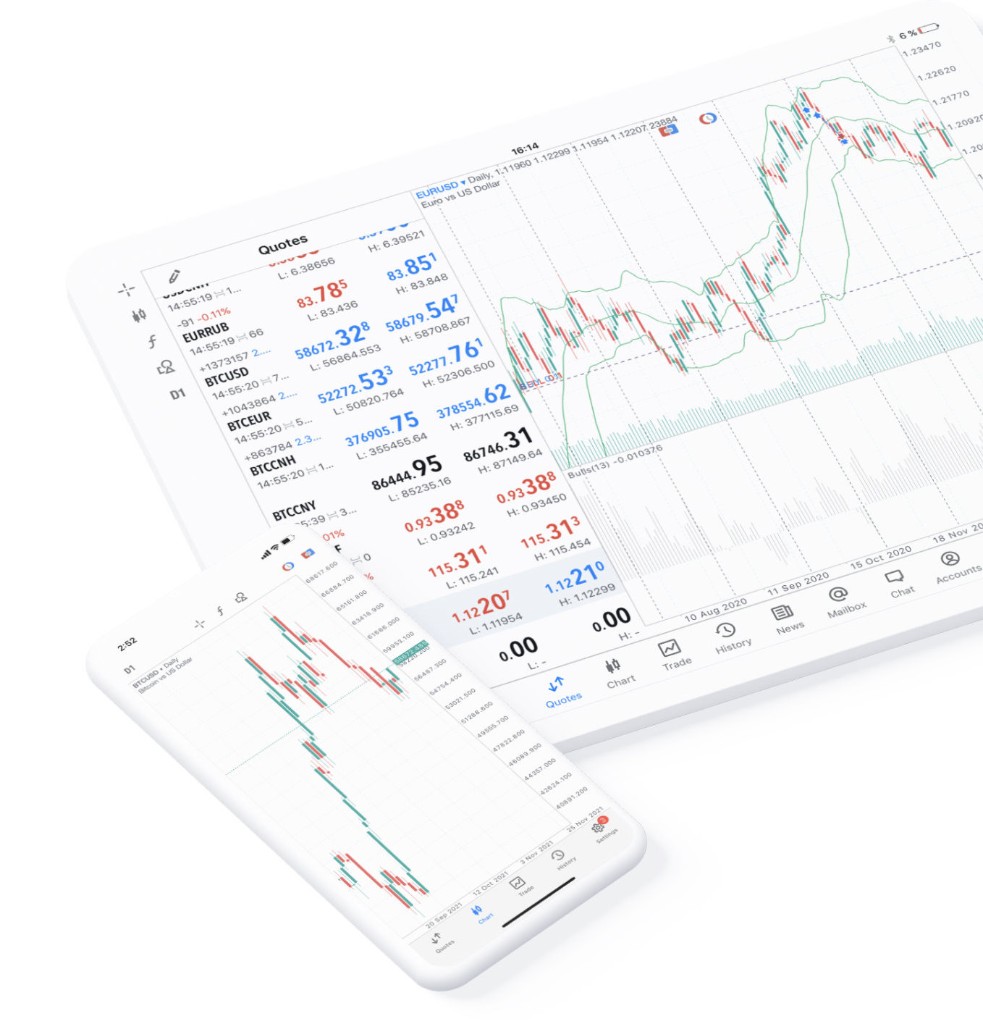
Mobile is for quotes, charts, positions, and orders, plus alerts and common trades—complex multi-chart work stays on desktop.
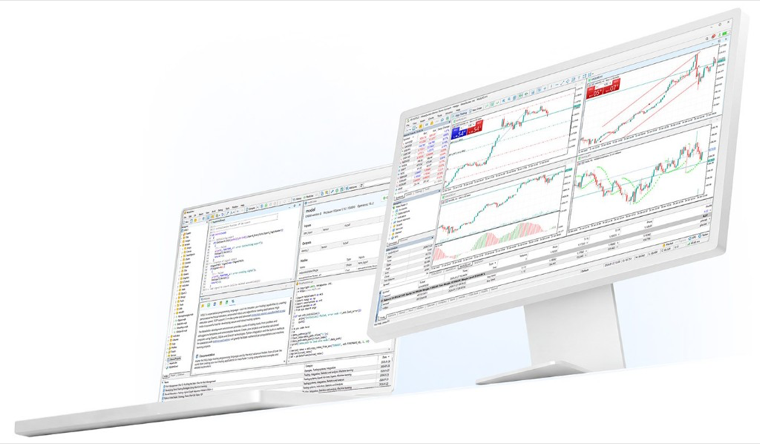
Web needs no install—log in, chart, and trade in a supported browser when temporary access or no install is required.
Security: we do not host installers—all downloads come from MetaQuotes or app stores. Verify domain and publisher; prefer broker links for custom builds. Trading involves risk; leverage can cause rapid losses.
FAQ
Further reading: Confused about Order, Deal, and Position? Start with this tutorial.
MT5 covers more asset classes, chart timeframes, order types, and strategy testing; MT4 still has a large user base in traditional forex.
Yes. MT5 supports MQL5 Expert Advisors. You can build, buy, or test automated strategies—but backtest and demo thoroughly before live trading.
No. MT5 is a tool; it does not remove market risk. Leveraged products can lose money quickly—trade within your limits.
We do not host installers. For safety, use the official MetaTrader 5 download page or your broker’s official channel, and verify server and account details.
Brokers use different server names or custom installers. Contact broker support for the server keyword, account type, and login steps.